Why WhatsApp Can Ruin Your Wedding Photos
From 80% compression to privacy leaks: Why group chats after your big day almost always cause disappointment.
FlashUp is your private digital wedding photo album. Displayed as stylish QR code table cards, your guests simply scan the code with their standard smartphone camera and upload photos and videos directly in their browser. No app download, registration, or contact sharing required.


Simply scan
Point your camera
Opens instantly in browser
Disposable cameras on every guest table or massive WhatsApp groups used to be the default. Today, both methods produce more frustration than treasured memories the morning after.
Cameras frequently sit half-empty or get misplaced during the party chaos.
EXIF camera metadata is stripped; chronological ordering is completely lost.
5 reasons why WhatsApp doesn't work for wedding photosOne-time €29.99 for unlimited guests and uploads.
Zero technical headaches for you, no app installation for your wedding guests.
Set up your gallery in under a minute. Immediately download print-ready cards with your custom QR code for your reception tables.
Table Cards & Displays
Your guests scan the table card with their phone camera. The private gallery opens immediately in their mobile browser. Select photos, hit send, done.
Broadcast uploaded snapshots live on venue projectors or screens. The next morning, download all original high-res photos and videos in one ZIP archive.
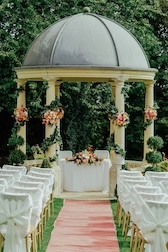

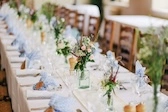
From morning preparations to the first dance and spontaneous party laughter. Collect all the candid angles and perspectives your photographer couldn't capture alone.
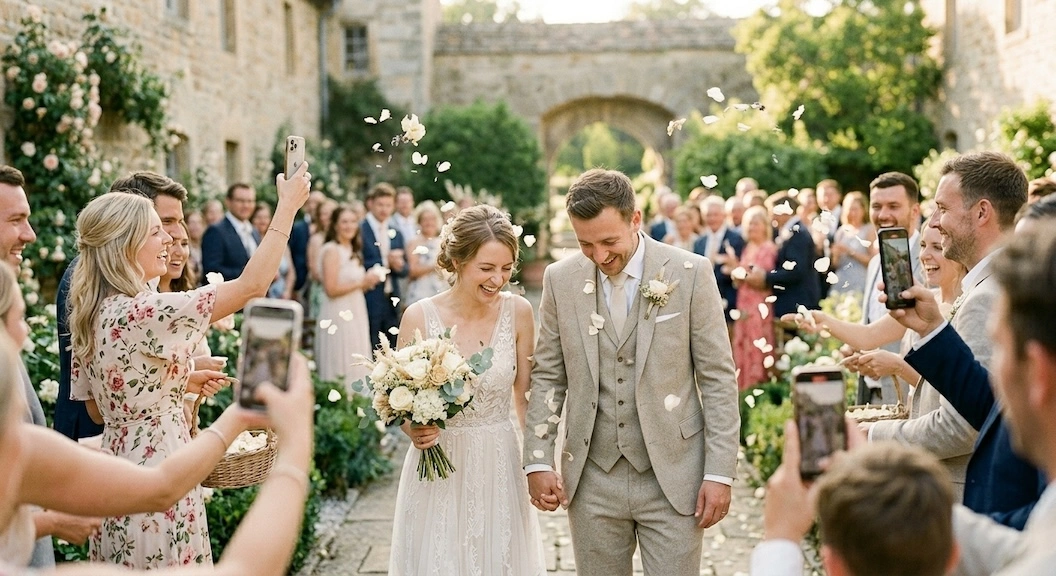
Wedding Anna & Max
Preserve shared moments forever
Authentic Wedding Memories
428
Photos & videos captured by guests
Discover angles from Table 4, the cocktail bar, and the dance floor you never could have witnessed yourself.
No sign-up required · Test guest uploads directly
Make photo sharing as simple as possible for your guests. With print-ready A5 and A6 PDF templates, your QR displays blend naturally into any wedding table setting.

Multiple styles matching your stationery · Print-ready as PDF or customizable in Canva
Playful romantic aesthetic adorned with delicate pink roses. Ideal for summer garden and classic celebrations.
Timeless serif lettering and refined line art. Perfect for formal black-tie weddings and grand receptions.
Natural greenery accents with eucalyptus sprigs. Perfect for rustic barn, coastal, and boho outdoor weddings.
Four proven locations that naturally inspire wedding guests to pull out their smartphone cameras and share.

AI
The gold standard: Tucked beside menu cards and florals. Guests scan during dinner courses and share candid table moments. Ideal when paired with creative photo tasks for wedding guests or as a visual complement to your digital guestbook.

AI
Ideal for the post-ceremony champagne reception. Guests spot the code upon arrival and share the earliest hugs and toasts.

AI
Where the party energy peaks: Displays by cocktail stations and prop baskets prompt hilarious selfies and candid dance moves.

AI
Including the QR code on your printed thank-you cards grants guests access to the shared gallery and collects late uploads.
Everything couples and best men or maids of honor ask before the big celebration.
No, absolutely not. That is the core philosophy of FlashUp. Guests simply point their standard phone camera at the QR code on the table card. The private gallery opens immediately in Safari, Chrome, or any mobile browser. Photos and videos can be chosen directly from their camera roll, with no account, no password, and no App Store visit required.
Yes. Unlike messaging apps like WhatsApp, which compress photos by up to 80% and strip camera metadata, FlashUp preserves every file in its original camera resolution including full EXIF data. You can download the entire archive with a single click as a ZIP file, ready for fine-art wedding albums and professional wall prints.
Your gallery is strictly private. Only people who scan your physical on-site QR code or receive your secret link can access the gallery. All data is hosted on ISO 27001 certified servers in Germany in full compliance with European GDPR laws. Guests never need to provide an email address or telephone number.
Yes! Experience shows that grandparents and non-technical guests join in enthusiastically. Because scanning a QR code is as simple as opening a digital restaurant menu (point camera, tap link, select photo), all technical barriers disappear.
In your host cockpit, you can trigger the live slideshow in full-screen mode with one tap. Simply plug any laptop into your venue's projector or smart TV. Freshly uploaded guest photos appear automatically in real-time on screen, creating a delightful highlight during dinner and evening festivities.
We recommend setting it up 1 to 2 weeks before the wedding. That gives you plenty of time to download the matching PDF table cards, customize them in Canva if desired, and print them. Your gallery stays online for a guaranteed 6 months after the event, giving you and your guests all the time you need to download and preserve memories.
Helpful advice, setup guides, and creative ideas for your wedding guest photos.
From 80% compression to privacy leaks: Why group chats after your big day almost always cause disappointment.
A practical step-by-step tutorial: Collect candid guest notes and photos via QR code without app downloads.
Capture authentic moments: 10 proven icebreaker challenges for table cards that get your wedding guests snapping photos.
Create your private wedding gallery in under a minute, print matching table cards, and look forward to hundreds of candid angles from your celebration.
One-time €29.99 · No subscription · 6 months guaranteed storage · GDPR compliant EU hosting